Showing posts with label Revit 2011. Show all posts

[Lynda] Revit Architecture 2011 Essential Training

Description:

A) Product Description
Course name:
Revit Architecture 2011 Essential Training
ASIN: B004CVK544
rar 1185 MB; ISO

Manufacturer's Description
In Revit Architecture 2011 Essential Training, author Paul F. Aubin shows how to create compelling architectural designs using the modeling tools in Revit. This course covers the entire building information modeling (BIM) workflow, from design concept to publishing. It also covers navigating the Revit interface, modeling basic building features such as walls, doors and windows, working with sketch-based components such as roofs and stairs, annotating designs with dimensions and callouts, and adding 3D geometry. Exercise files are included with the course.

B) Table of Contents

Introduction 13:45
1. Core Concepts 47:31
2. Getting Comfortable with the Revit Environment 42:18
3. Starting a Project 58:21
4. Modeling Basics 50:52
5. Links, Imports, and Groups 01:02:33
6. Sketch-Based Modeling Components 35:52
7. Complex Walls 32:43
8. Visibility and Graphic Controls 21:44
9. Rooms 27:02
10. Schedules and Tags 48:38
11. Annotation and Details 34:39
12. The Basics of Families 32:06
13. Sheets, Plotting, and Publishing 00:25
Conclusion

Author:
Paul F. Aubin

Duration (hr:min):
8:30

Released on:
7/23/2010

Exercise files:
Yes

Topics include:
Introducing building information modeling (BIM)
Adding levels, grids, and columns to set up a project
Creating building layouts with walls, doors and windows
Modifying wall types and properties
Working with DWG files and CAD inserts
Adding rooms
Adding filled and masking regions and detailing
Generate schedules and reports
Understanding families
Using reference planes, parameters and constraints
Outputting files, including DWF and PDF files

C) Author

Paul F. Aubin
Paul F. Aubin is an independent architectural consultant who travels the country lecturing and providing implementation, training, and support services for Autodesk® Revit® Architecture and AutoCAD®. Paul’s involvement in the architectural profession spans decades, with experience in design, production, CAD management, mentoring, coaching, and training. He serves as moderator for Cadalyst magazine’s online CAD Questions forum, is an active member of the Autodesk user community, and has been a top-rated speaker at Autodesk University (Autodesk’s annual user convention) for many years. His diverse experience in architectural firms, as a CAD manager, and as an educator gives his writing and his classroom instruction a fresh and credible focus. Paul is the author of many CAD and BIM books, including the widely acclaimed Mastering AutoCAD Architecture and Paul F. Aubin’s Mastering Revit® Architecture, and he is an associate member of the American Institute of Architects. He lives in Chicago with his wife and three children.

Download:
Download

Mirror:

Filesonic.com Fileserve.com Rapidshare.com Hotfile.com mediafire.com
I will check, If link dead, I will reupload at here:

http://tinypaste.com/af91fdf0

Learning Revit 2011 - Full DVD Downloads


Revit Architecture 2011 Tutorial DVD - Video Training

Description:
Infinite Skills : Learning Revit 2011
Video: AVC (.mp4) 852x640 15fps | Audio: AAC 1ch 44.1Khz | 2.2 Gb
Genre: eLearning | Language: English

Take your skills to the next level. This Revit® Architecture 2011 Tutorial Video is the ultimate in comprehensive instruction for the discerning professional.
These training classes use broadcast quality audio and video to deliver concise and informative training right to your desktop. The course is presented via an intuitive, easy-to-use interface, allowing you to learn at your own pace.
These Revit Architecture 2011 Tutorials break event the most complex subjects down into easy to follow segments, following along is simple. Practical working files further enhance the learning process and provide a degree of retention that is unmatched by any other form of training.
Download:
Download Here
Mirror - Update new link
Download Part 1
Download Part 2
Download Part 3
Download Part 4
Download Part 5
Filesonic.com Fileserve.com Rapidshare.com Hotfile.com mediafire.com
I will check, If link dead, I will reupload at here:

http://tinypaste.com/3c2e344c

Introducing Autodesk Revit Architecture 2011 - PDF download


Introducing Autodesk Revit Architecture 2011 By Patrick Davis, Charlie Busa, Beau Turner, Stephen Stafford
Sybex | English | 2010-10-12 | ISBN: 0470649712 | 544 pages | File type: PDF | 14.78mb


Revit all-stars present a fast, focused introduction to Revit functions, tools, and concepts
Hailed for its ease of use, power, and sophistication, Revit is the industry-leading Building Information Modeling (BIM) software package. Introducing Revit Architecture provides a thorough overview of Revit's concepts, interface conventions, tools, and tasks. In-depth discussions, reinforced by comprehensive step-by-step exercises, detail how to model, document, present, and share designs. Written by expert authors   ?all architects with years of Revit experience   ?Introducing Revit Architecture is the perfect resource for readers of all skill levels who want to quickly accomplish crucial Revit tasks.


- Practical exercises on core Revit features enable new users to quickly get up to speed 
- A 16-page color insert focusing on real-world Revit uses drawn from the team's experience and industry contacts 
- Straightforward explanations, real-world examples, beautiful illustrations, and practical tutorials focus squarely on accomplishing vital Revit tasks 
Introducing Revit Architecture helps professionals and students to easily and efficiently learn the basics of Revit and BIM.

Download:
part 1: http://adf.ly/2ur2I
Part 2: http://adf.ly/2ur3u
Pass unlock: civileb.com

Mastering Autodesk Revit MEP 2011 - PDF Download


Mastering Autodesk Revit MEP 2011
Publisher: Sybex | 2010 | 624 pages | ISBN-10: 0470626372 | English | 17,3 Mb

Book Description

Master all the core concepts and functionality of Revit MEP. Revit MEP has finally come into its own, and this perfectly paced reference covers all the core concepts and functionality of this fast-growing mechanical, electrical, and plumbing software. The authors collate all their years of experience to develop this exhaustive tutorial that shows you how to design using a versatile model.

You’ll discover tips, tricks, and real-world exercises that only authors who use the software daily in a professional environment can know and explain.

* Explores the basics of the interface, how to create and use project templates, how to generate schedules that show quantities, materials, design dependencies, and more
* Examines the mechanical side of Revit MEP, including chapters on creating logical air, water, and fire protection systems and evaluating building loads
* Delves into how to best generate and model content, including solid modeling, creating symbols, using parameters, creating equipment, and more

Featuring real-world sidebars, hands-on tutorials, and a supporting Web site, this reference allows you to jump into any tutorial and compare your finished work to the pros.

From the Back Cover

Leverage the Power of BIM with Revit MEP 2011No matter which system you’re designing—mechanical, electrical, or plumbing—this book shows you how to use Autodesk’s Revit MEP building information modeling (BIM) software to make it happen more efficiently. Master the MEP interface and tools, get hands-on practice in setting up Revit projects and templates, and discover real-world techniques and tricks that only pros who use the software on a daily basis know.

Whether you’re evaluating building loads, setting up electrical circuits, or designing water systems, this in-depth reference and tutorial will show you how to quickly get professional results.

Coverage includes:

* Exploring the Revit MEP 2011 user interface and setting up project templates
* Integrating Revit into your workflow and following best practices for worksharing
* Preparing models for analysis and importing/exporting gbxml (green building xml) files
* Doing solid modeling, creating symbols, and setting up parameters
* Using Revit MEP for mechanical design, including performing building load analysis, designing ductwork and piping, and more
* Using Revit MEP for electrical design, including lighting, power, communications, and circuits
* Using Revit MEP for plumbing design, including water systems, fixtures, and sanitary piping

Apply the Power of BIM to Your Mechanical, Electrical,or Plumbing Design Process

Master the Revit MEP Interface, Tools, and Menus

Discover Real-World Tricks and Tips from Revit and MEP Experts

Learn Best Practices for Setting Up Workflows and Worksharing

Reinforce Your Skills with Real-World Examples and Hands-On Tutorials

About the Author

Don Bokmiller has trained hundreds of Revit MEP users in his role as an application engineer for Inlet Technology, an Autodesk Channel Partner. He has worked in the architectural/engineering design community for more than 12 years. Don has been a valued member of the beta testing team since Revit MEP’s first release, is an active and well-known AUGI forum participant, and contributes to the Revit blog BIM Wits (bimwits.blogspot.com).

Marvin Titlow is Technology Manager at Michael Brady, Inc. He has been working in the HVAC, plumbing, and fire protection design fields since 1987 and has been a valued Revit MEP beta tester since its inception.

Simon Whitbread is a Revit MEP Specialist at Beca. He has over 25 years ofexperience in construction design and drafting.


Download:
http://adf.ly/2uoMB
mirror : http://adf.ly/2uoKt
miror: http://adf.ly/2uqbU
Pass unlock: civileb.com

Mastering Autodesk Revit Architecture 2011 eBook - Free download - link mediafire.com

Mastering Autodesk Revit Architecture 2011 eBook


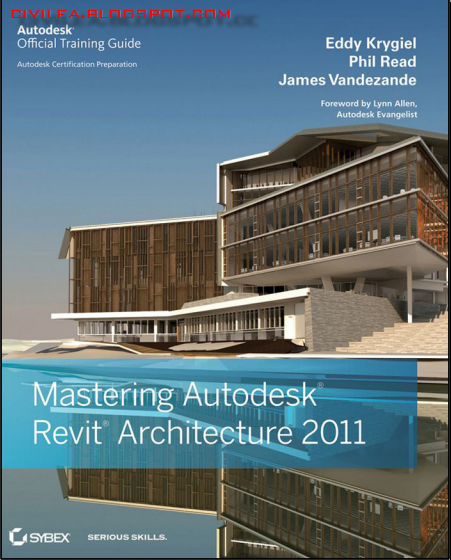
Mastering Autodesk Revit Architecture 2011, by Eddy Krygiel
Sybex | 2010 | ISBN 0470626968 | Pages: 1168 | English | File type: PDF | 46 mb
The Ultimate Real-World Reference for Revit Architecture
This comprehensive guide has been completely updated to provide the most modern, detailed, and in-depth coverage of Autodesk's leading building information modeling software. This packed new edition features clear discussions of core topics that are reinforced by compelling examples and tutorials to guide you to Revit Architecture mastery.
The expert authors use real-world workflows to show you how to immediately implement and use Revit Architecture 2011 with spectacular results. They delve deeply into every crucial topic, including how to most productively use the interface, how to create fantastic building designs with Revit, and how to produce solid documentation. They also explore such advanced topics as using Revit Architecture during construction and how to leverage the API.
Mastering Autodesk Revit Architecture 2011 eBook - Free download - link mediafire.com
part 1: http://adf.ly/38rP2
part 2: http://adf.ly/38rNb

AT-AT fun for 2011

Some people will remember me as the freaky guy who modelled an AT-AT in Revit 7….updated and looking funky using RAC 2011 graphics.

image

However, be sure to check this out if you love a bit of Star Wars. :-)

http://vimeo.com/12892083

Calculating Pi in Revit 2011

Now I’m not going to take credit for this, but some bright spark over at the AUGI forums worked out that you can get Revit to use Pi in formulas..the credit goes to Alfredo Medina for finding this. I am currently working on a panel with a circular aperture.

image

I wanted to calculate the percentage of the hole, compared to the size of the overall Panel, so as part of this exercise I needed to work out the area of the aperture. So Alfredo says that if you put the following formula in

pi() this will give you 3.14159265 automatically.

He wasn’t wrong….

image

In knowing this I could then use the following formula to work out the area of the circular aperture.

pi() * Radius ^ 2

image

So I am not sure when this one sneaked in through the back door, but it sure isn’t documented in the help file. : – )

Revit 2011 – sketch on non planar surface

One little gem that has appeared in Revit 2011 Subscription Advantage Pack AS WELL as SP2 I believe, is the ability to sketch model lines on non planar surface within the concept design environment. You can sketch on a surface with a line, a spline or a rectangle. This has been introduced to assist in the ability to sketch openings when using the CEA (Conceptual Energy Analysis) tool. However, it has many potential uses over and above this.  There are three possible parameter options available to you:-
  1. Top Down
  2. Parallel to Level
  3. Follow Surface UV
image
So let me quickly explain what three parameters seem to do.
Top Down
The Top down parameter seems a little bit of a mystery to me, but having experimented with it a little, when you draw rectangle it seems to deform to the surface following the UV lines, but at the same time the points snap to the edges. I actually don’t think I have fully understood this and I know my Autodesk friends read this blog, so I am sure they will pipe up and hopefully provide true explanation for this parameter. Ladies and Gents?

EDIT:- Heres Zach Kronz reply to what this particular parameter does 

Hi David,
The "top down" option makes a bit more sense when you use something that has a less steep slope. When using this setting, your rectangle will resolve into a right angle rectangle when seen in plan. It gets a little whacky in situations like you are showing, but it is essential a vertical projection of a rectangle.

image
Parallel to Level
If you draw a rectangle on a surface, the rectangle will always remain parallel to a level it references. Notice in the image below that the rectangle is a true rectangle, the top and bottom edges are parallel to the level and the side edges are perpendicular to the level, @ 90 degrees.
image
Follow Surface UV
Now do the same exercise as above, but this time change Follow Surface UV and draw a rectangle. This time you will notice that the rectangle will follow the natural UV flow of the surface.
image
It becomes clearer, once you divide your surface and enable the UV lines, as in the example below.
image

Revit 2011 Subscription Advantage Pack Videos

Following the formal release of the Subscription Advantage Pack for Revit 2011, which is now available for download from the Subscription Centre, additional information and videos have been released by Autodesk to explain in detail the functionality. Take a look at these if you want an in-depth look.

http://usa.autodesk.com/adsk/servlet/ps/dl/item?siteID=123112&id=15731389&linkID=9243099

Acadia 2010

image

Got an email from Matt Jezyk and Lira Nikolovska from Autodesk today about a forthcoming event you may be interested in. It a series of  workshops at the upcoming ACADIA conference in New York City, scheduled October 18-20th 2010. The Summary of the event is below:-

The 3-day Conceptual Design workshop will explore the new Revit conceptual design workflows, specifically parametric modelling and performative design using Autodesk® Revit®. The first two days of the workshop will focus on the ins and outs of the new form making and manipulation tools including creation of parametric rigs to drive and modify form, surface panelization, reporting parameters and adaptive components. The second part of the workshop will focus on analysis applied early into the design process (conceptual energy analysis, solar radiation, use of structural analysis plug-ins), and will also provide overview of API features such as Analysis Visualization Framework and Dynamic Updating.

More details can be found here…

http://www.acadia.org/acadia2010/

If you are in and around New York at that time, you may want to consider signing up, especially if you want to understand Revits conceptual tools much better.

Revit 2011 Subscription Advantage Pack

image 

IMAG0085

So what goodies does the Revit 2011 Subscription Advantage Release have for us?

Revit Server

Many users and firms who have deployed Revit are using worksharing,this is the ability to allow multiply users to work on the same model. By enabling worksharing and sub-dividing the central model into worksets, users can take a copy of the central file, this becomes there local copy. Any changes that they make to the local copy can be published to the central model. At the same time changes made by others can also be sync’d between the central file and their local file. Whilst the initial concept is daunting, once you have the appropriate standards and protocols in place, you have your staff trained, worksharing works well.

Now over the last couple of years, how firms do business has changed and this is largely due to the internet. So rather than working in the same office, these days it’s come place for designs team to be disbursed between two offices in the same geographical location or even across different geographical locations. Lots of different solutions have been employed to try and solve this headache, such as using remote desktop, blade servers, high speed WAN connections, Riverbed, model exchanging etc.

Therefore, with the ever increasing requirement it was only a matter of time before we saw Autodesk extend Revits worksharing functionality from a LAN setup to WAN based. Revit 2011 subscription extension finally makes this concept possible, with the introduction of Revit Server.

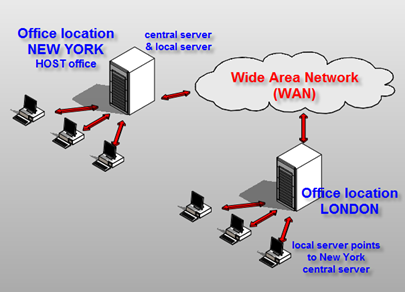
So what is Revit server and how does it actually work? Revit Server is basically an extension of the typical worksharing setup. In a server setup the central model resides on a central server which then communicates with a local server across a WAN. Users still take locally copies of the central model which exist on the local server. The big difference is that the local server copy is silently requesting updates from the central server. Updates are stored on the local server so that they are immediately available when the user requires them. When a Reload Latest is performed, the local model is automatically updated with the data stored on the local server. At the same time the local server connects with the central server and requests any additional updates. As updates reside on the local server, the transparent movement of data in the background means that updates are quicker. It is certainly not the case that users have to wait for updates, as data is transferred across the WAN.

If a user decides to Sync with Central; first a Reload Latest updates the local model with changes made by other team members; the central model is also updated to reflect changes made to the local copy. Once the changes and updates have been made to the central file residing on the local server, the local server then sends the updates to the central server.

WAN configuration

You can also make the local server and central server reside in one location, as in the example below, it is not the case that you would need a separate Central Server.
image

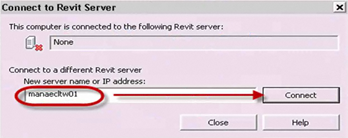
  • You connect to your server via the Connect to Revit Server icon.

image

  • This opens this dialogue and allows you to connect to the server.
image

  • On the open dialogue, you will see your servers listed.

image 

Administration

To administer the Server setup, the Revit Server Administration tool provides model management and review capabilities. The server configuration should be setup by an IT administrator or BIM manager, certainly careful planning is required before embarking on a server setup. Once again, ensuring robust standards and processes are in place, is essential. The Server Administrator tool is a browser-based tool and this allows the BIM manager to manage a server based projects. Projects can be renamed, deleted, folders and central models moved on the central server. Revit server comprises of two main components, your regular copy of Revit and the server component. The server component can act as a local server or a central server. Server component must be installed on a Windows server with the following specifications.

  • Microsoft Windows Server® 2008, 64 bit (not 2008 R2)
  • Microsoft Internet Information Server 7.0
  • Web Services
  • Microsoft .NET 3.5 SP1
  • Prefer a project server doesn’t have office email exchange and other web heavy applications

Revit Server Administrator tool requires Microsoft Internet Explorer 7.0 or newer. The Silverlight plug-in will also be installed as a by product of using this application.It should also be noted that the connection needs to be behind the firewall so if you want remote firms to connect, they would need to do this via a VPN access or remote desktop.

A couple of points to note, users can’t delete, rename or move central files. Editing request feature has been disabled. You can’t rollback, as this feature has been disabled. It is also no longer possible to work at “risk”. Finally, the Work sharing Monitor does not function with a Revit Server, but this will be replaced by a BlueStreak add-in monitoring tool, but this is due out in the next few months. Also, if you do have Riverbed enabled you will see some benefits from your investment, because you will see some acceleration.

Process

So will this finally start to connect dispersed teams together and bring together true multi-collaboration? For sure, this is what many firms have been striving to achieve and for version 1, this is a great step forward. I am well aware that this project has been a number of years in development. I remember speaking with an Autodesk guy ( under NDA obviously! ) at AU over 3 years ago about the vision and finally this subscription release turns vision into reality.

Conceptual Energy Analysis (CEA)

With the continued focus and requirements for Sustainable design, a few years back Autodesk started to ask questions of the Revit user base. What did they actually need to allow them to understand the sustainable requirements of a building, particularly at the conceptual stage of design? Architects felt that they needed tools that would allow them to have sensible conversations with Engineers, be proactive in the sustainable without being too heavy weight in software terms. Obviously there are tools like IES and Ecotect, but to be honest they are not integrated within the Revit environment. Whilst gbXML can be exported out from a Revit model to other applications, it meant that a designer would have to go outside his or her comfort zone and start to learn additional tools. To top that, gbXML export has never been that great.

image So Autodesk have come up with CEA, technically referred to as the Conceptual Energy Analysis, which is focused around energy analysis of conceptual designs.To engage in the sustainable discussion, it makes obvious sense to start early.

image

So the basic workflow is as follows:-

  1. You start by building a conceptual mass

image

  1. You next create an analytical model from the massing model

image

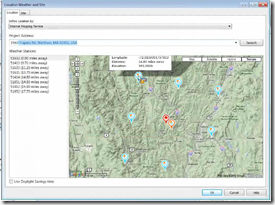
  1. You then define data and apply this to the the model such as generic materials, location and operating hours of the building etc
image

image

  1. You can also make adjustments to the analytical model and apply items like shading.
  2. You can also sketch on surface of the mass and add custom glazing apertures.

image

  1. This data is then pushed to the cloud and calculations are performed. You can submit multiply calculations at once and as the cloud is doing the number crunching you can continue working.
image

  1. Calculations are reported back in an html style reports and compare comparison dialogue. These results can be emailed, exported or printed.

image

Results

The whole process allows for true iterative sustainable design, as you can easily go back go back to your original mass, make modifications and run the calculation again. Whilst you will have to make assumptions about the design, but iterative integrated process should really assist the designer at early stages of design. What these tools are doing is giving you a comparative results between different design options. At present the data behind the analysis can’t be altered; the reality is that the results value given back may not necessarily meet your exact local cost of energy for instance, but this really doesn’t matter. What the results able you to do is to compare difference, what performs better or worse allowing you to make good decisions.

Revit Structure 2011 Extensions

image

The extensions for Revit Structure users will include Revit Server as well as the following extensions.

image

Revit 2011 AEC Blogger Day

Announcements about to be made…look out for some great news in the next 60 minutes.

IMAG0084

Back to Basics – Conceptual Masses in Revit 2011

image

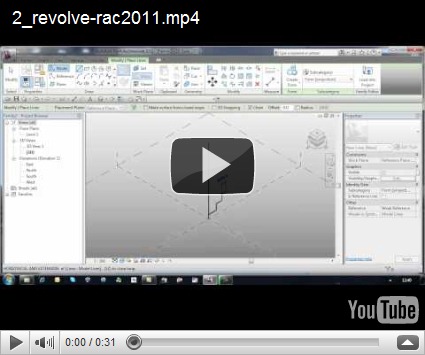
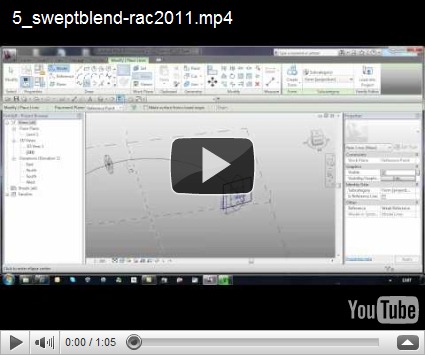
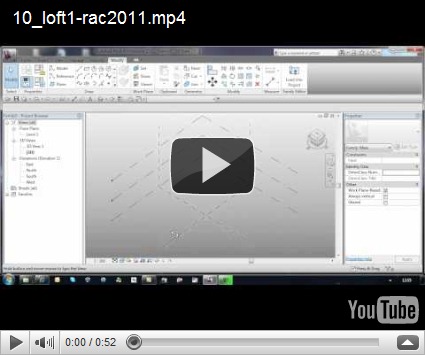
I am still surprised by the amount of questions and queries I get from users who are trying / starting to use Revit’s conceptual massing tools in either RAC 2010 or RAC 2011. The most common queries relate to how you actually create a particular form. I am suppose pre 2010 it was straight forward as we had extrude, revolve, sweep, blend and swept blend. The way you used these form making tools was very explicit; need to create an extruded form? Then use the extrude tool. Revit 2010 changed all that with a far more flexible approach to form making, but to some extent it tossed away the rule book and I believe that is what has confused some users. If you don’t do a lot of massing in Revit, this new paradigm can also lead to confusion and a certain amount of head banging!! I’ve had experienced Revit users get totally stumped when creating even the most basic forms. Once you understand the behaviour and the philosophy to form making, creating complex forms gets a lot easier.

So it made sense to create a series of short videos which explained how to create some common forms in Revits conceptual design environment. Experienced users who use the tools will know all this, but for those that don’t, I hope this is of assistance. I have deliberately avoided any voice over, so you force yourself to review the tools and commands being picked. It is all about creating the forms and I deliberately does not delved into model lines versus reference lines, pure geometry only. I am sure there are many ways to create some of these forms, but these in my view these are the most obvious steps.

You will find videos which you how to…..

  • Extrude
  • Revolve
  • Blend
  • Sweep
  • Swept Blend
  • Cone
  • Dome
  • Sphere
  • Torus
  • Loft 1
  • Loft 2
  • Pyramid


1. Extrude


2. Revolve


3. Blend


4. Sweep


5. Swept Blend


6. Cone


7. Dome


8. Sphere


9. Torus


10. Loft 1


11. Loft 2


12. Pyramid

AUGI | AEC Edge Spring 2010

As noted on Steve Staffords blog, the spring issue of AUGI | AEC EDGE is out. Some great content in this issue and look out for an article by a chap called “Light” who claims he knows a thing or two about Revit. :-)

AUGIAECEDGE_Spring2010